
[Update: Now in stable] Samsung Internet Beta v6 adds night mode, high contrast option, and new experimental flags [APK Download]
Samsung has been on a mission to add all of its apps to the Play Store recently, with the latest addition being its proprietary keyboard. The Samsung Internet Browser has been on there for a while, and earlier in the year, the South Korean company added a beta version so users could test new features. It's just been updated to v6, so let's take a look at what's changed.
I don't have a Samsung device so I didn't think I'd be able to test this out. Turns out that since v5 even the stable release has worked on Pixel and Nexus devices. As of this latest update, compatibility has been extended to any Android phone running 5.0 Lollipop or higher, so many more of you will be able to try it out. (Thanks to peteroshaughnessy for pointing that out in the comments.)


Left: New splash page. Right: Available ad-blocking extensions.
The first discernable difference in version 6.2.00.8 is a new splash page (above left) which reminds us of the ad blocking extensions we can download. There are actually quite a few different options available, which is great to see. As the option was there before and it's only the splash page which is actually new, it's clear Samsung wants more people to try it out.


Next up, and perhaps the most notable of the new additions, is the introduction of a night mode. The feature is becoming more and more popular as we all try to limit the amount of bright light we subject our eyes to before sleeping, so it's a wise decision to add this in. It can be activated in a couple of places, either in the main menu or via the gray three-dot FAB. Unfortunately, the night mode doesn't really seem finished.


Night mode and the unfortunate dark overlay.
On the plus side the colors of the top and bottom navigation bars are inverted, and the homepage background is given a black makeover. This would look great, except there appears to be a dark mask overlaying the entire app. It's obviously to make up for not inverting the colors anywhere else in the app, including the settings or menu items, but it results in poor contrast that makes everything harder to see. It even masks the entirely separate keyboard when it's called upon (above center). It is a beta so we shouldn't expect everything to be perfect, but this does seem like a rather lazy implementation of what should be a useful feature.
In a similar vein, a high contrast mode has been added to a new accessibility section in the settings. This is actually closer to how the night mode should have looked, with no dark mask and much clearer contrast, as you would expect given the name of the feature. It's also half-baked, though, as past the homepage the high contrast look isn't applied to the menus and other screens.


The slightly better implemented high contrast mode.
Other changes brought by the update include an option to 'Sync with Samsung Cloud' so you can back up or restore your bookmarks and preferences. Some new experimental flags have also been added, such as Web Bluetooth, WebGL 2, and Gamepad extensions. These can be accessed by navigating to internet://flags, where you can enable and disable them at your own risk. There were only 2 of these before this update, so it's good to see Samsung exploring a few more options.
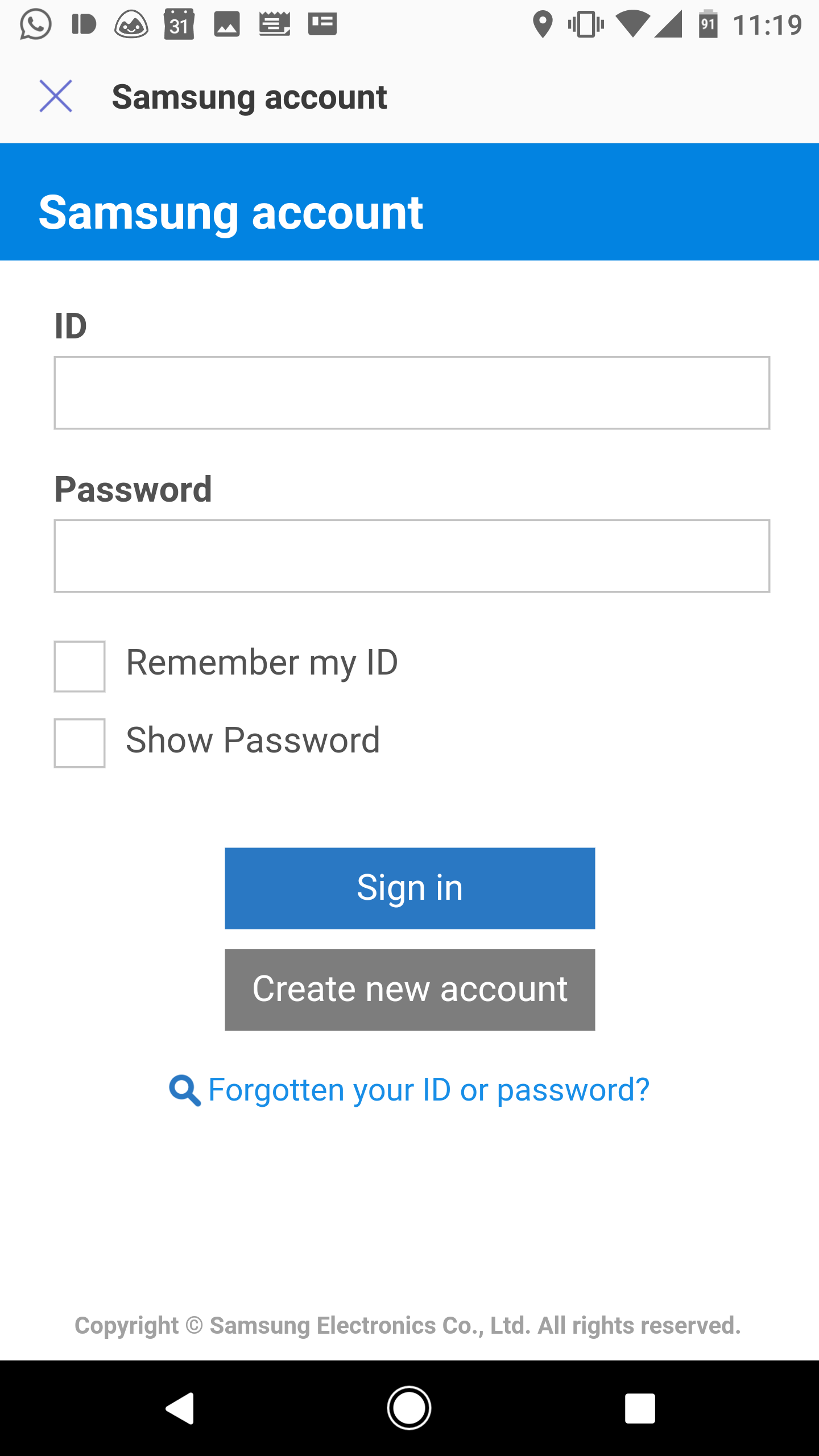

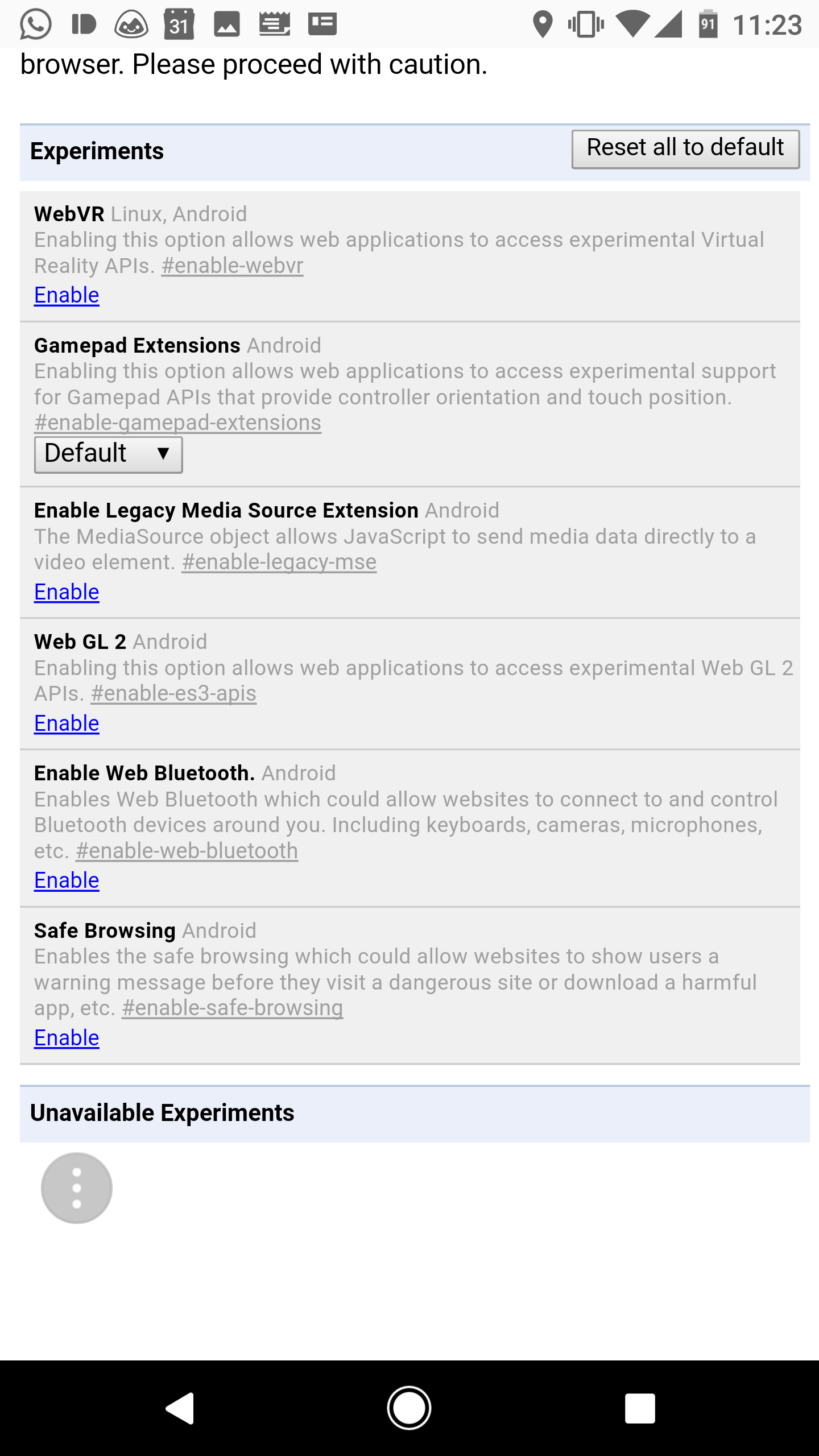
Left: Account sync. Center & Right: Experimental flags
On top of all that you can expect a number of bug fixes and stability improvements, as with any app update. The web engine has been updated to Chromium 56, too. You can download the latest version of Samsung's beta browser from the Play Store link below, or you can grab it manually from APKMirror.
The stable version of Samsung Internet Browser has been updated to 6.0 with all of the changes mentioned above from the beta. You can grab it directly from the Play Store (widget below) or from APK Mirror if you prefer to sideload it or if it isn't available to you yet.
The stable version of Samsung Internet Browser has been updated to 6.0 with all of the changes mentioned above from the beta. You can grab it directly from the Play Store (widget below) or from
APK Mirror if you prefer to sideload it or if it isn't available toDATE
APK Mirror if you prefer to sideload it or if it isn't available toDATE


![[Update: CWTV too, maybe] CBS All Access support seems to be live in Google Home](https://lh3.googleusercontent.com/blogger_img_proxy/AEn0k_vXTq8isKPcfW3VAsMZIFDuEEnQeOLJuWTdFCzAe1s173iNdu5TkVZTTzfNXkx1REprZMBuspxEwJ0t-uTmd167nWlOpUsxdB0PUaq5xbkrpZhrqoKVkUFG8TA9dNIzYScQEGTuI91vKaGFKmZQsb3ELIxC5Nfl_TpAToz2Ijtb51wCKt4SGC6xzZ18BXRa4G93RPMVxLjrXmrujV88O1YyKNsrOwYMVzV7tdYfetyzetQ8O5dDqyiZAQ7nzfGcTwEXzMG5aDh91ibvwYSXPOv90SHtNRMyc1ltxk_50p9y52w=w72-h72-p-k-no-nu)


No comments: